What is WebTalkerAI?
WebTalkerAI is a unique extension specifically designed for the Chrome browser. It is designed to streamline web interactions through the use of conversational AI. Once installed, WebTalkerAI lets users interact with websites as though they were personal assistants, leveraging AI-powered chat functionalities.
How does WebTalkerAI work?
WebTalkerAI works by facilitating communication with webpages. This tool allows users to ask questions, request summaries, or seek specific details directly within a conversation browser interface. It leverages AI to provide an automated and intelligent response.
How do I activate WebTalkerAI once installed?
Activating WebTalkerAI after installation is a simple process. Users just need to click the WebTalker icon in their toolbar to enable the chat feature on any webpage.
What functionalities does WebTalkerAI provide?
WebTalkerAI provides a variety of functionalities. Users can ask questions about the current website they're on, request summaries of webpage content, or even seek specific details—all through conversation. It also offers an active chat feature where users can initiate a chat with any webpage.
Can WebTalkerAI be used during online shopping?
Yes, WebTalkerAI can be used during online shopping. By asking questions or requesting specific details, users can get information about products, process, reviews, and more directly through a chat conversation. This eliminates the need for extensive page navigation.
How to enable the chat feature in WebTalkerAI?
Enabling the chat feature in WebTalkerAI is easy. Once the extension is installed, the user just has to click the WebTalker icon located in the toolbar. This will activate the chat features on any webpage.
What is the purpose of WebTalkerAI?
The main purpose of WebTalkerAI is to make web browsing smarter and more conversational. It simplifies web interactions through AI-powered chat functionalities, helping you to communicate with webpages easily, whether you're doing research, shopping, or simply exploring.
What is the user interface of WebTalkerAI like?
WebTalkerAI provides an intuitive interface for engaging in chat interactions. The chat window will appear once it's activated, and users can then interact with the webpage using natural language or specific commands.
How does WebTalkerAI assist in web navigation?
WebTalkerAI assists in web navigation by enabling users to ask questions, request summaries, or seek specific details directly from websites through conversation. This allows for an efficient and focused browsing experience as it saves the time and effort of reading through countless pages.
What kind of questions can I ask using WebTalkerAI?
With WebTalkerAI, you can ask a wide range of questions related to the webpage you're browsing. This could be anything from product details when you're shopping online, to specific details of an article or study when you're doing research. It uses AI to give you the most relevant responses.
Can WebTalkerAI request summaries from webpages?
Yes, WebTalkerAI can request summaries from webpages. This functionality is especially useful when dealing with long textual contents, as it allows users to understand the main points of the content without having to read through it extensively.
How does WebTalkerAI interact with websites?
WebTalkerAI interacts with websites through its AI-Powered chat functionalities. Users start a conversation by asking questions or making requests, and the AI tool engages in the conversation to provide responses or perform actions based on the user's input.
What improvements have been made to WebTalkerAI based on user insights?
WebTalkerAI has undergone continuous refining and enhancements based on user insights. These insights were gathered from its userbase and have been implemented in order to make the browsing experience smarter and more conversational.
How can I install WebTalkerAI?
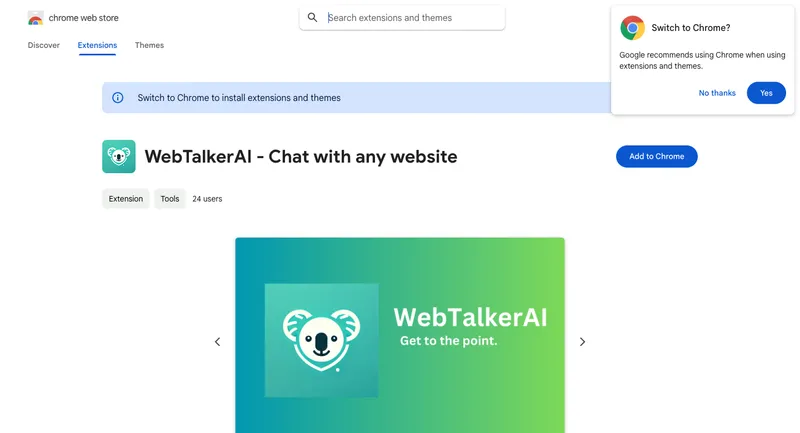
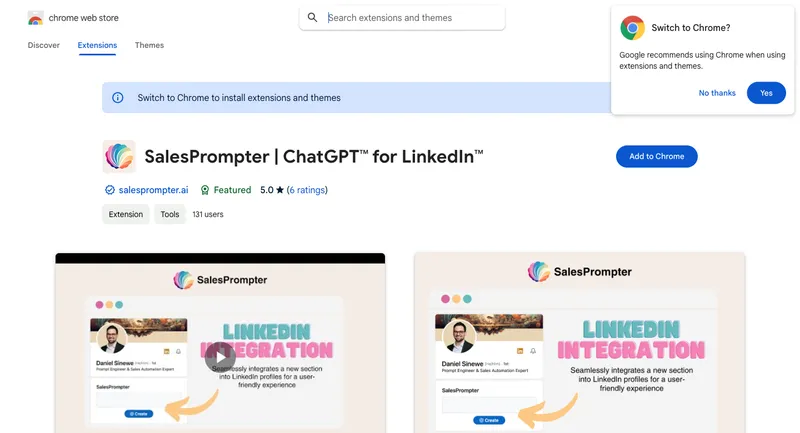
To install WebTalkerAI, you simply need to go to the Chrome Web Store and click on 'Add to Chrome'. Once added, it should appear in your toolbar, where you can pin it for easy accessibility.
Are there any privacy concerns with using WebTalkerAI?
WebTalkerAI has disclosed its data collection and usage policies to ensure users are aware of their privacy rights. It has publicly declared that user data is not being sold to third parties and is not being used or transferred for purposes unrelated to the item's core functionality.
What specific details can WebTalkerAI extract from a conversation on a webpage?
WebTalkerAI can extract specific details that you request during a conversation on a webpage. The specific details it can extract are context dependent and hinge on the capacities of its AI, but can include any explicit information openly available on the webpage.
Can WebTalkerAI be used for research purposes?
Yes, WebTalkerAI can certainly be used for research purposes. Whether you're researching a specific topic, or simply exploring new subjects, WebTalkerAI assists in navigating across numerous pages, retrieving relevant information, and summarizing content.
How does WebTalkerAI enhance the user experience on the web?
WebTalkerAI enhances the user experience on the web by making it more conversational and streamlined. It helps users to directly interact with websites as if they were personal assistants. Consequently, it saves users' time, reduces browsing stress, and makes online activities more efficient.
What browser is WebTalkerAI compatible with?
WebTalkerAI is compatible with the Chrome browser. It is an extension designed specifically for Chrome, and once installed, can be accessed through the browser's toolbar.
How does WebTalkerAI compare to other similar AI tools on the Chrome Web Store?
In comparison to other similar AI tools on the Chrome Web Store, WebTalkerAI specializes in facilitating conversations with webpages. While there are other tools that may have similar functionality, the user-focused design, unique UX, and precise AI functionality make it a preferred choice for many users.
Who is the developer of WebTalkerAI and how can I contact them?
WebTalkerAI was developed by a team known as WebTalker Developer. They can be contacted for support or to share feedback at the email address webtalkerai@gmail.com.